Spaces & places
Wayfinding · Exhibits · Wall graphics
Connect artwork, materials, and placement.
 Login
Login Keep graphics, details, locations, and feedback together.
Make client reviews simple.
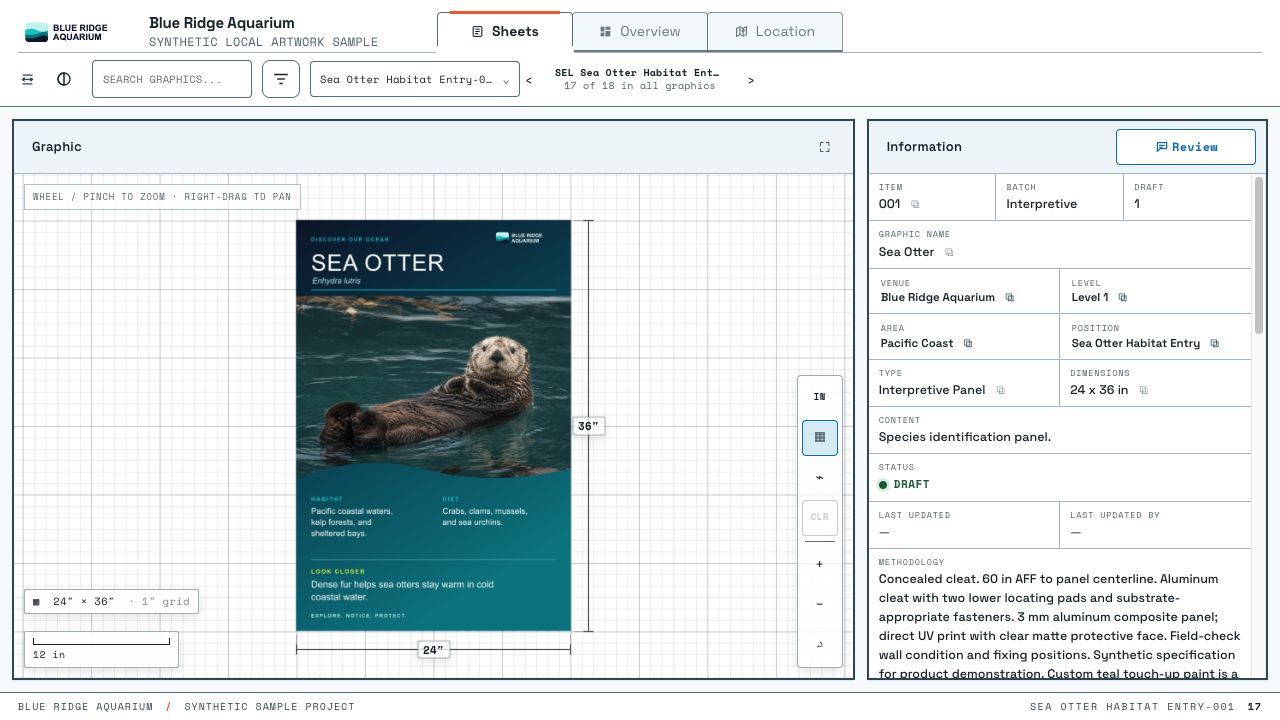
02 / Behind the client's view
Organize graphics, materials, locations, and revisions in the Dashboard. Preview your changes, then publish them for clients.
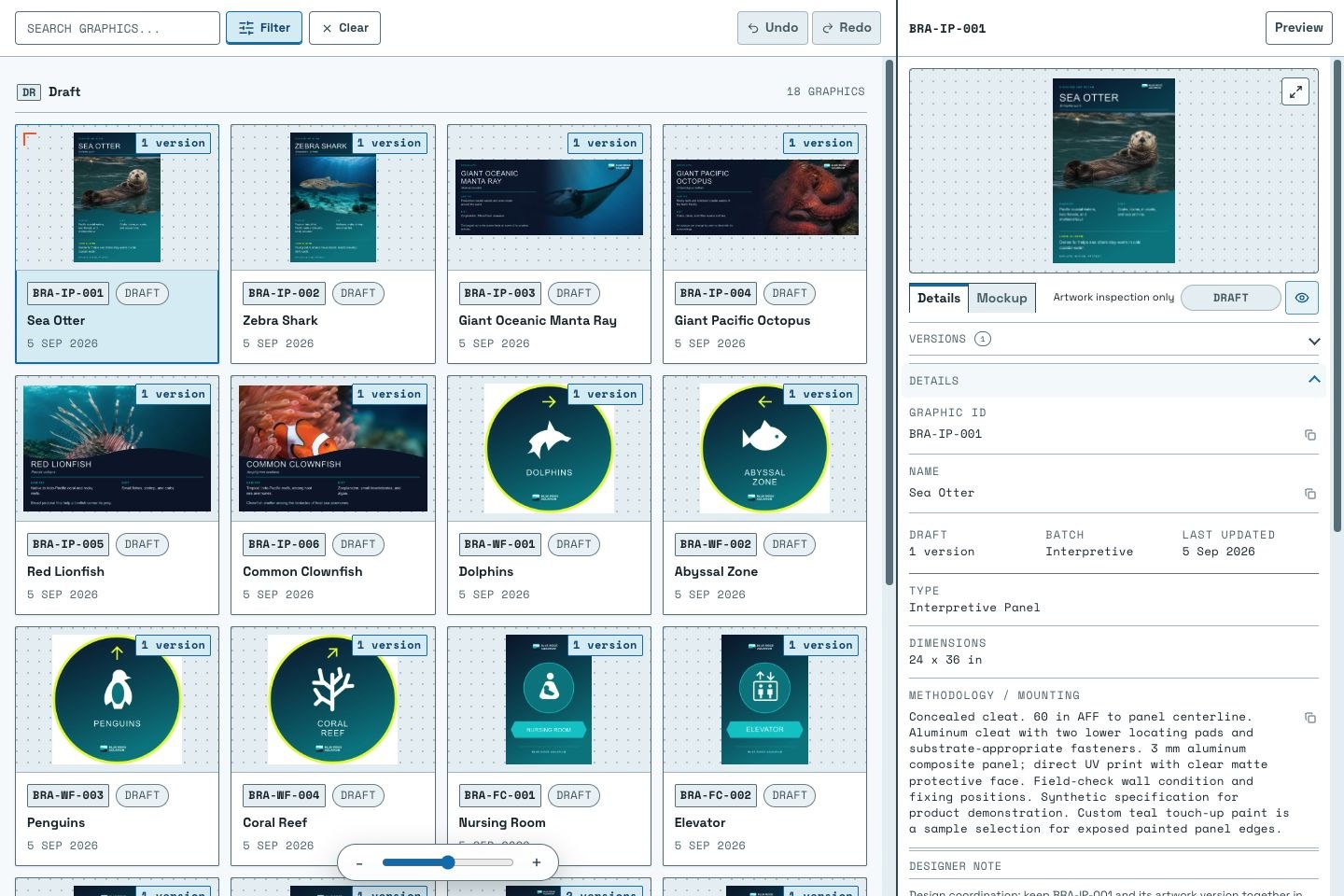
01 — Graphic collection
Build the project behind the presentation. Bring artwork, details, and locations together, then publish for your client when you’re ready.
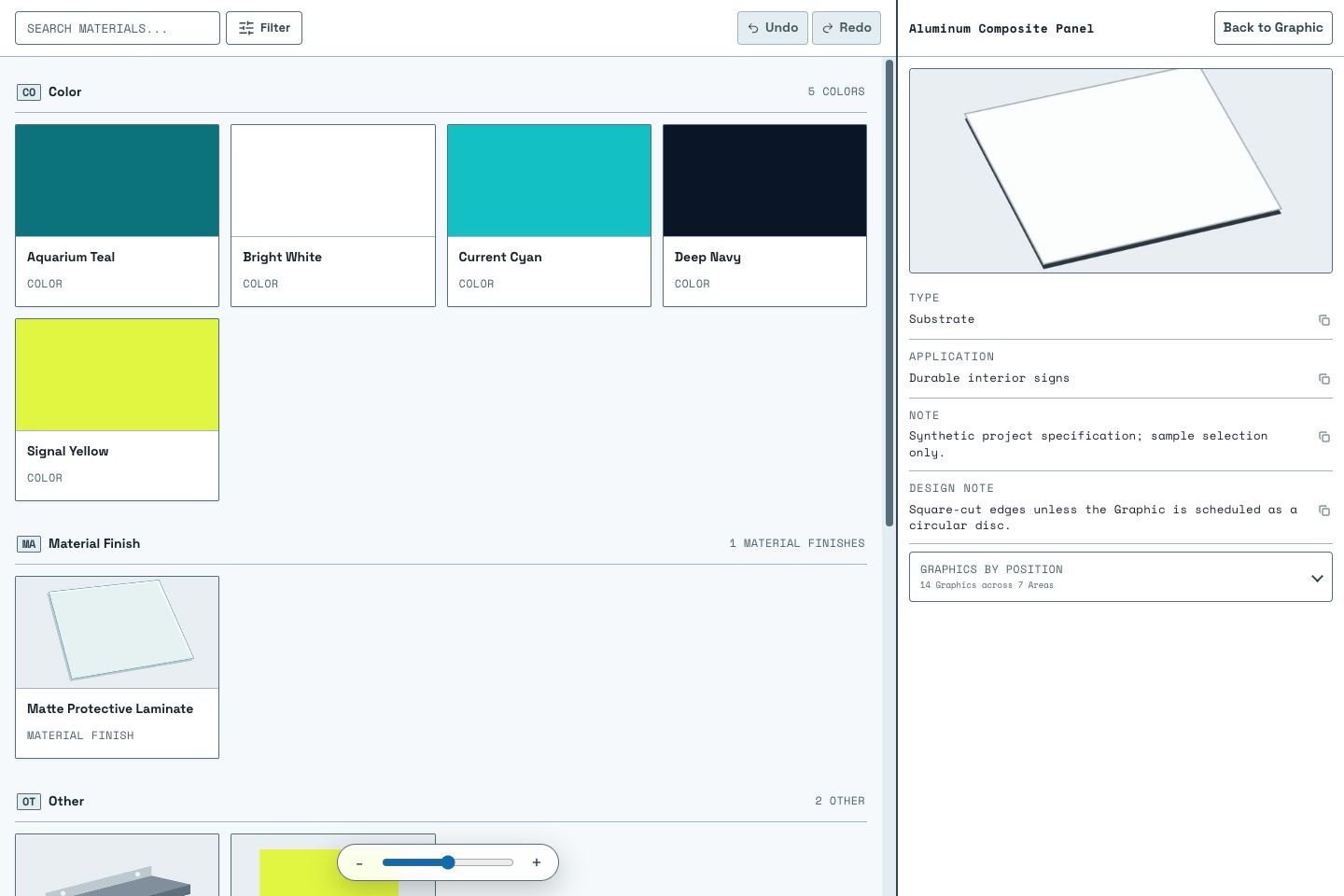
02 — Materials
Create materials once and link them to your graphics. Keep finishes, colors, and specifications together.
Clients see material details alongside the published artwork.
Artwork + specifications
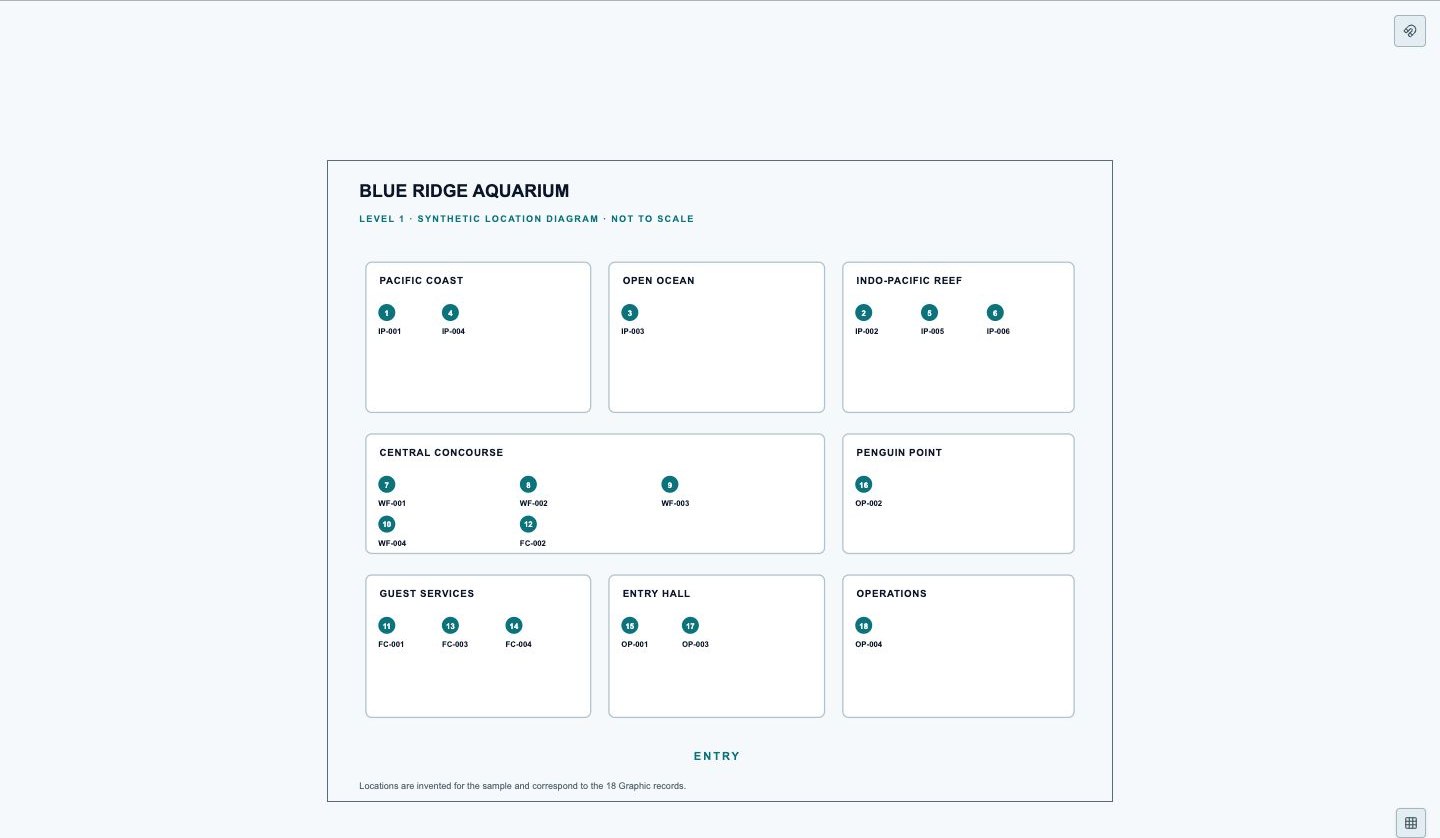
Across the projectMultiple named plans
Within a planGraphics in their physical context
03 — Location Plans
Use multiple Location Plans to show where each graphic belongs.
Browse plans to find the artwork for each location.
Clients point to what needs changing. Your team updates the artwork, shares it, and gets a clear approval back.
Client / Viewer
Clients leave comments, markups, or sticky notes on the artwork.
“Could we move Penguin Talk to 2:45 PM?”
00 / 32 sec · Paused offscreen
One place for the graphics your project needs.
Wayfinding · Exhibits · Wall graphics
Connect artwork, materials, and placement.
Sponsor graphics · Stage backdrops · Booth panels
Keep every event graphic in one project.
Wraps · Decals · Trailer graphics
Keep vehicle designs, specifications, and feedback together.

Posters · Window graphics · Menus · Counter cards
Coordinate launch graphics as designs change.
Label ranges · Sleeves · Carton artwork
Track revisions and feedback across a product range.
Shirts · Totes · Prints · Stickers
Review the collection. Find the details for each design.

Keep client artwork, details, and feedback together.
Bring different designers’ work together and keep client feedback close.
Give colleagues and design partners one place to review the work.
Check artwork, revisions, and specifications with your clients.
Keep the graphics you’re working on organized, with a clear place for the project team to review them.
Bring everyone’s graphics together, with artwork details, revisions, and client feedback easy to find.
Review a set of designs, or add Location Plans to show where they go.
Explore the ViewerKeep artwork organized and client reviews clear.
Manage your projects from artwork to approval.
Give your team one shared workspace.
Both plans include the Viewer for sharing work and collecting feedback.
No. Add a Location Plan only when placement matters.
Share the Viewer with your client. Invited reviewers can leave feedback and approvals when you give them that access.